
Image Studio
Enhance, stage, renovate
One workspace for every image step: fix lighting and noise, replace skies, change seasons, virtually stage rooms, renovate and declutter. 30 tools across four areas — one image at a time or as a batch.
The tools at a glance
Auto optimisation
One click for brightness, colour and sharpness across a photo set — the starting point for every other step.
Sky replacement
Three options per exterior shot: clear blue, golden sunset or dramatic clouds.
Virtual twilight
Daylight exteriors become an evening image: the sky is regenerated as dusk and the whole frame is toned to evening light. Facade, roof and surroundings stay geometrically unchanged.
Season change
Summer, autumn and winter as separate tools — matching the marketing season or campaign theme.
Virtual home staging
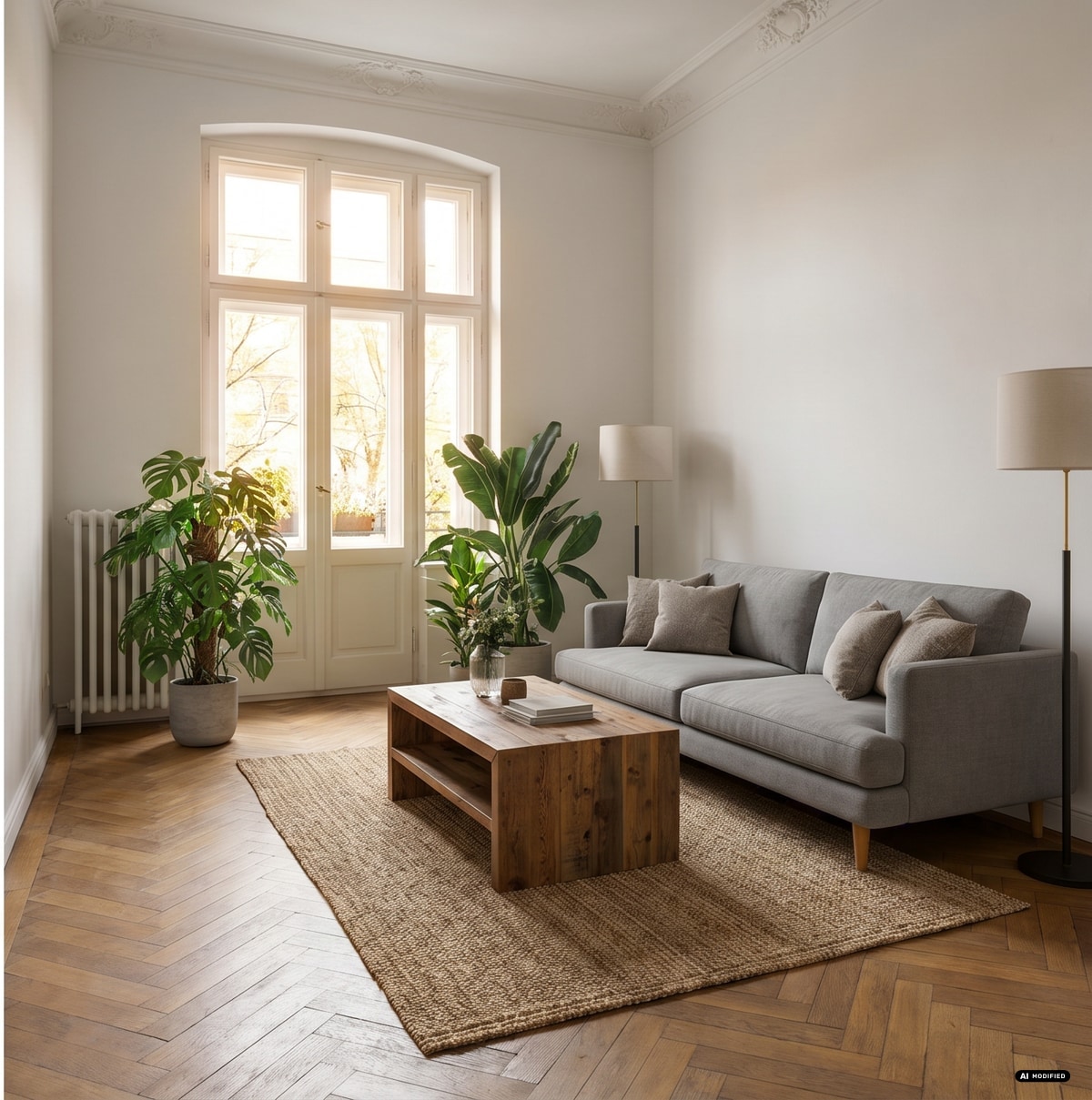
Furnish empty rooms: 8 room types from living room to patio, 9 furniture styles from Scandinavian to luxury. Structure, windows and flooring stay as they are.
Renovation
Kitchen, bathroom, living room, bedroom, exterior, flooring and wall paint — one dedicated tool each.
Cleanup
Remove single objects, declutter a room, improve curb appeal or refresh a facade — leaving walls and floors intact.
Noise and sharpness
Denoise high-ISO interiors and sharpen edges in a separate step.
4× AI upscale
Real-ESRGAN scales to 2× or 4× — labelled, because upscaling creates image detail that was not in the original.
Example: before and after
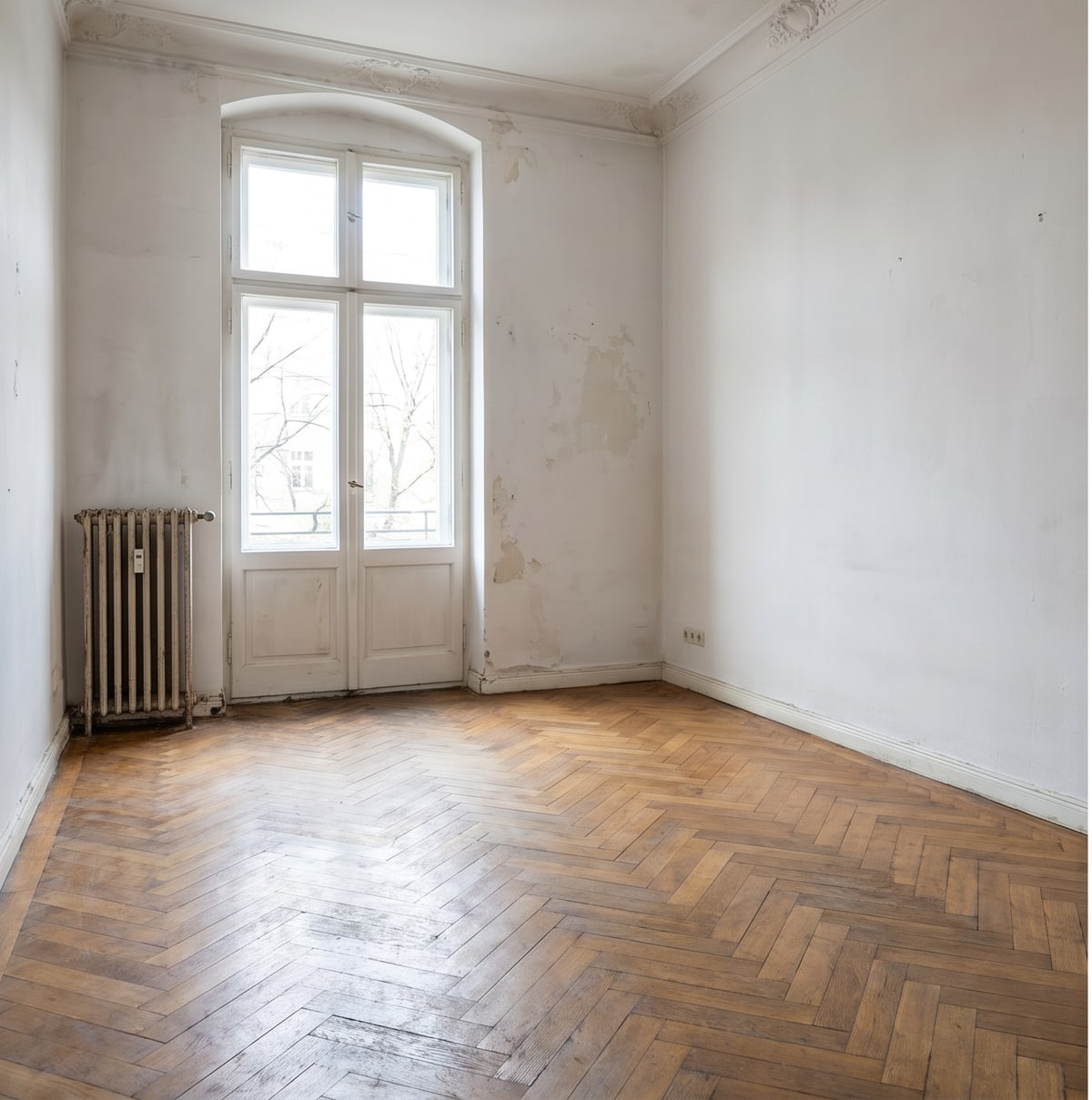
The same Altbau shot: original on the left, result of the staging tool on the right. Drag the handle or use the arrow keys.
Example 2: sky replacement
Same shot, different sky: the original on the left, the result of the golden sunset tool (2 credits) on the right.
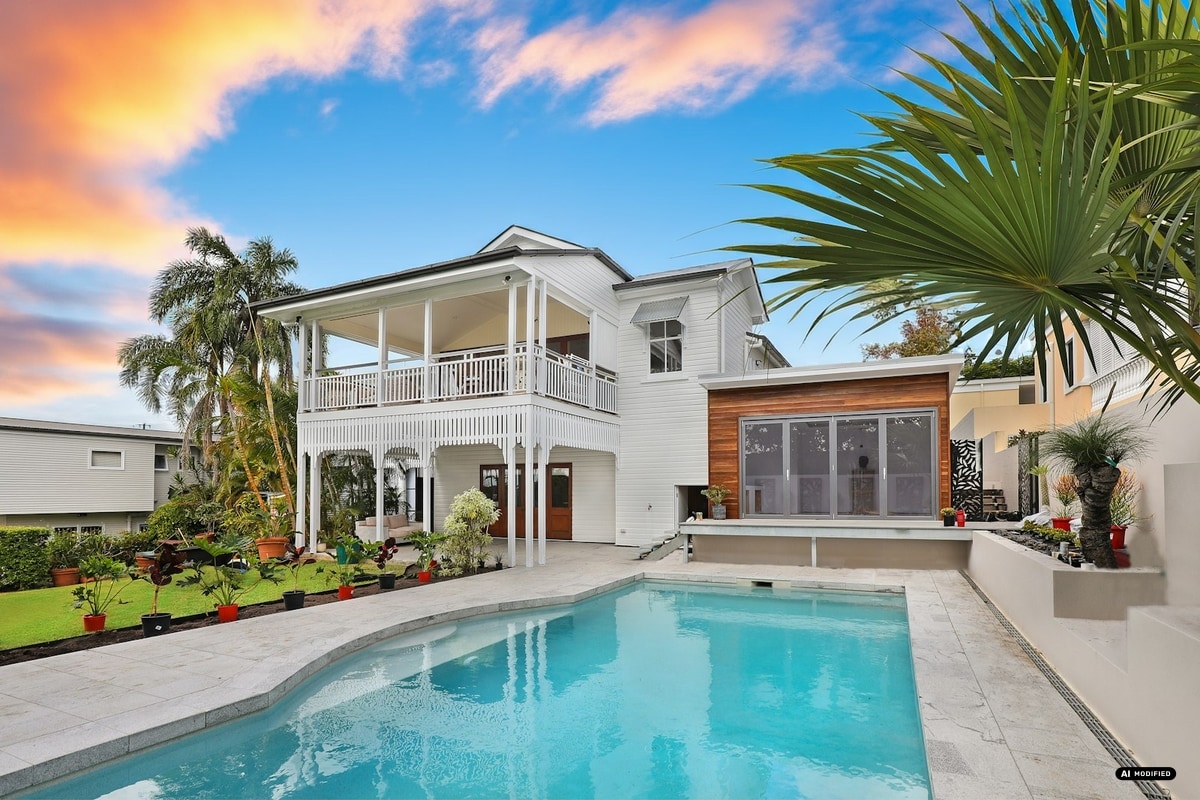
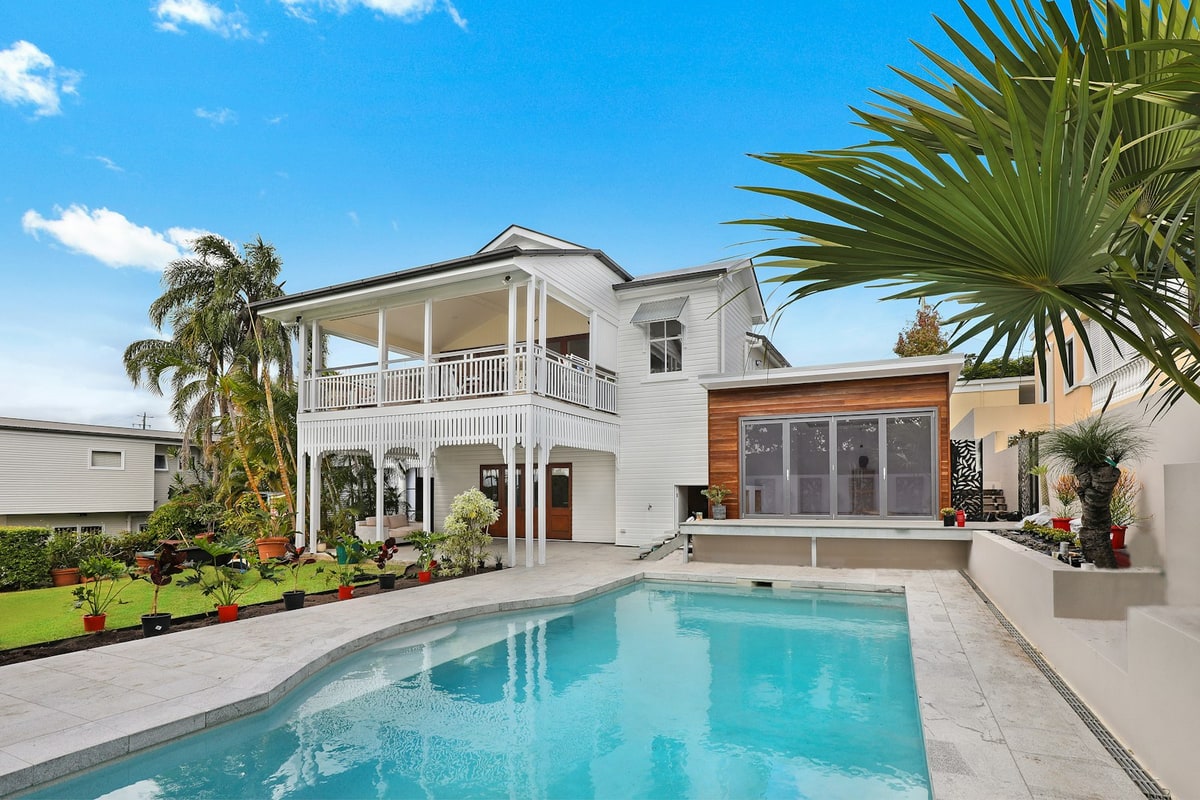
Source: Unsplash (stock image). Result: sky_sunset, 2 credits.
Example 3: virtual twilight
The same shot as an evening image: the sky is regenerated and the whole frame is toned to evening light (2 credits).
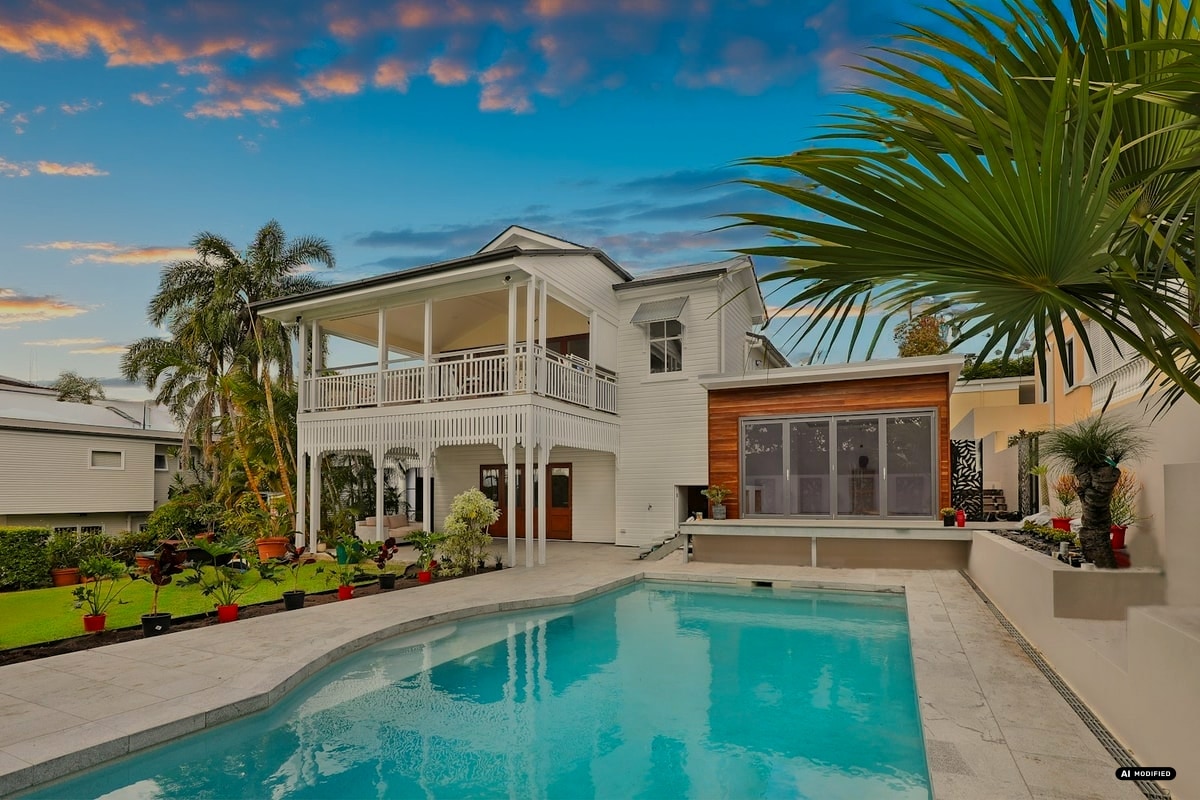
Source: Unsplash (stock image). Result: twilight, 2 credits.
Four areas, 30 tools
Costs per applied tool, regardless of image size.
| Area | Tools |
|---|---|
Enhance Auto optimisation, lighting, noise, sharpness, upscale, sky, twilight, seasons | 11 from 1 credit |
Stage One tool per room type, furniture style selected separately | 8 2 credits |
Renovate Kitchen, bathroom, living, bedroom, exterior, flooring, paint | 7 2 credits |
Cleanup Object removal, declutter, curb appeal, facade refresh | 4 2 credits |
What customers use them for
Empty living room furnished
Sofa, rug, lamps and plants — Altbau structure, windows and parquet unchanged. Before/after of the same shot above.
Grey sky, replaced sky
Three skies per shot: clear blue, golden sunset, dramatic clouds. The image above is the result of a real run (2 credits).
Distractions removed
Bins, cables, small furniture or personal items can be removed one by one or in a single declutter pass.
Phone photos made usable
Denoise plus 4× upscale brings handover photos up to a size that holds up in a listing.
Show a renovation without building it
Kitchen, bathroom or flooring in one of eight styles as an image version for listings and client meetings — recognisable as an image simulation, not as a built state.
Whole photo sets in one pass
Select several images, pick one tool and one style — Zestio processes the batch and charges credits per image.
Example images come from Zestio runs. AI-modified results carry the EU AI badge (Art. 50 EU AI Act); the slider above shows the original and the result of the same photo.